

The minimum size of a QR code is 2 × 2 cm for most prints. Under this measure, scanning becomes a lottery: it depends on the phone, the light and how much data you put inside.
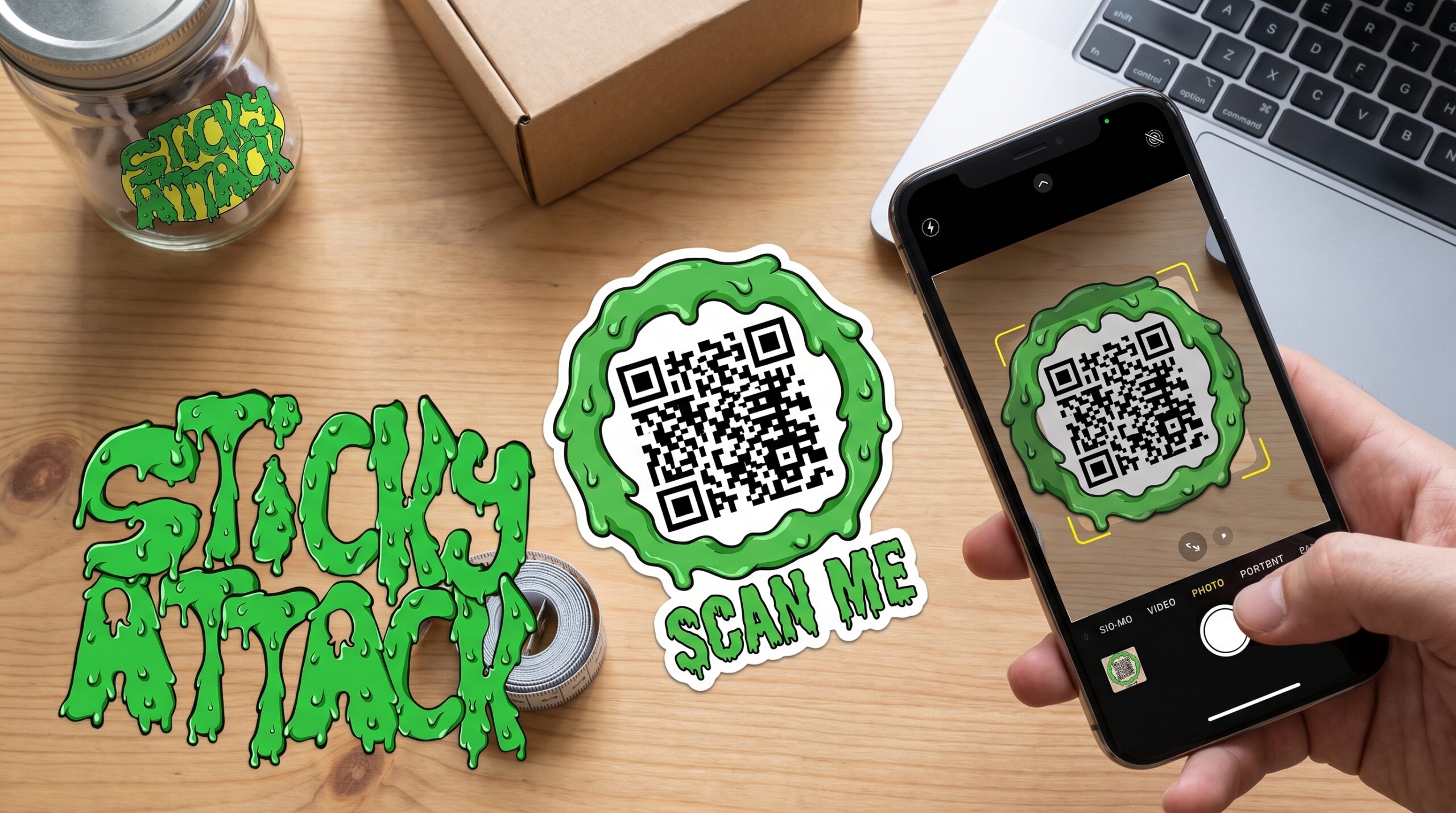
If the QR ends on a sticker, we at StickyAttack raise the bar to 3 × 3 cm. The reason is practical, and we will explain it later: a sticker lives on bottles, jars, boxes and shiny surfaces, where the reading conditions are worse than those of a business card placed on the table.
Let’s see where these numbers come from and how to choose the right size for your case.
What is the minimum size of a QR code?
On paper, a QR code can be very small. The international standard ISO 18004 says that a base code (Version 1, 21 × 21 modules) remains valid until 1×1cm. In the laboratory, with industrial scanners, it reads even smaller.
In real life it’s a different story. Here are the thresholds that matter:
| Measurement | When it works |
|---|---|
| 1×1cm | Only in perfect conditions: precision scanner, little information, flawless printing. Not recommended. |
| 2 × 2 cm | Reliable practical minimum for common printing (flyers, business cards). |
| 2.5×2.5cm | Extra safety margin: reads well even on older phones or with more data. |
| 3 × 3 cm | Our minimum threshold on adhesives, to handle difficult surfaces and materials. |
The rule of thumb: do not go below 2 × 2 cm if you want anyone, with any phone, to be able to scan the first time.
The 10:1 rule: size depends on distance
The further you scan, the larger the code needs to be. The reference ratio is 10:1.
The formula is simple:
QR side (cm) = scanning distance (cm) ÷ 10
If people read the code from 20cm (a flyer in hand), 2cm on each side is enough. If they read it from 1 meter (a poster), 10 cm is needed. On a billboard viewed from 10 meters, the QR must be 1 meter wide.
| Surface | Scanning distance | Minimum side of the QR |
|---|---|---|
| Business card, label | 15–20 cm | 2cm |
| Flyer, brochure | 30–40 cm | 3–4 cm |
| Poster, showcase | 1 m | 10cm |
| Road sign | 10 m | 1 m |
It is a starting point, not a law. There is only one real piece of advice: try scanning the code in real conditions in which it will be used, before printing it in a thousand copies.
Factors that change the minimum measurement
Two QRs of the same size are not read the same way. Here’s what makes the difference.
How much data does the code contain
The more information you put in, the more the drawing becomes filled with small squares. And the smaller the squares, the more the phone struggles.
A short link generates a simple and readable QR even in small size. A long URL, full of parameters, produces dense code that needs more space. Always shorten the address before generating the code: it is the easiest way to keep the QR small without losing readability.
The level of error correction
Each QR has a “reserve” that allows it to function even if a part is damaged or covered. There are four levels of error correction:
- L – recover up to 7%
- M – up to 15%
- Q – up to 25%
- H – up to 30%
The higher the level, the more resistant the code is to scratches but also the denser it becomes, so it must be printed larger. If you place a logo in the center of the QR, you need a high level (Q or H) because the logo “covers” part of the code.
The white margin around (quiet zone)
There must be an empty white frame around the QR. It’s called quiet zone and is used by scanners to understand where the code begins and ends. Without it, many phones won’t read it at all.
The rule: at least 4 modules (the smaller squares of the QR) of white space on each side. Don’t let text, logos or borders go over the code.
File format and resolution
A blurry QR cannot be read. For printing use a file vector (EPS, PDF or SVG): Remains sharp at any magnification. If you can only use one image (PNG or JPG), generalize it to high resolution, at least 300 dpi, so the edges are not grainy.
Contrast and color
Scanners read by contrast. Maximum safety is the classic black on white. If you really want to color the code, maintain a strong gap between the code and the background (contrast ratio of at least 4:1) and never invert the colors (light on dark causes problems). Watch out for reds: many scanners “see” them almost as white.
QR code on stickers: why we recommend 3 × 3 cm
Here lies the difference between theory and real print. On the web you can find “2 × 2 cm” written everywhere. For a sticker, our experience says it’s best to start from 3 × 3 cm. Here’s why.
A sticker rarely sits as still and flat as a sheet of paper. It ends up curved surfaces — bottles, jars, tubes — where the code deforms slightly and the scanner struggles more. The extra couple of millimeters in size compensates for this curvature.
Then there’s the material. Many stickers have a glossy or plastic finish: beautiful to look at, but capable of creating reflections that confuse the camera. A larger code remains readable even when the light plays against it. Similar speech for stickers transparent or coloured, where the contrast between code and background is less sharp than black on white.
Finally theapplication. A sticker is attached by a person, by hand, and a small bubble or crease occurs. Starting from 3 × 3 cm you have a margin that forgives these imperfections.
In short: 3 × 3 cm is no different rule from QR physics, it’s the same rule applied to the harshest conditions a sticker lives in.
The recommended dimensions for each use
| Usage | Recommended side |
|---|---|
| Product label, package seal | 2.5–3 cm |
| Sticker on bottle or jar | 3 cm or more |
| Business card | 2–2.5 cm |
| Flyer, brochure | 3–4 cm |
| Showcase, window decal | 8–12 cm |
| Poster | 10cm or more |
When in doubt, round up. A QR slightly larger than necessary never bothers; one that is too small causes scanning (and contact) to be lost.
The errors that make a QR unreadable
Even with the right measurement, the code may not work. The most common reasons:
- QR too small for the expected scanning distance.
- Quiet zone absent: Text or graphics too close to the code.
- Little contrast, inverted colors or similar tones between code and background.
- Low resolution files, which comes out grainy in print.
- Reflective or very curved surface without compensating with a larger size.
- Too much data in a small code: very long links instead of a shortened address.
The test that solves almost everything: before printing, scan a test with two or three different phones, under normal lighting conditions.
Frequently asked questions
Does a 1cm QR code work? Only in ideal conditions: recent phone, good light, little data and perfect printing. For reliable use with anyone, do not go below 2cm.
Is 2 × 2 or 3 × 3 cm better? On paper, 2 × 2 cm is enough. On a sticker choose 3 × 3 cm – it handles curved surfaces, glossy finishes and hand application better.
What size do you need for a QR on a bottle? At least 3 cm on each side. The curvature of glass or plastic reduces readability, so it is better to use plenty.
Does color reduce the minimum size? No, if anything it increases it. A colored code has less contrast than black on white, so to be safe it should be printed a little larger.
Can I print a very small QR if the link is short? Yes, a short link generates simpler and smaller readable code. But the practical limit of 2cm (3cm on sticker) remains the safe starting point.
Do you need a ready-made QR code sticker printed at the right size? StickyAttack delivers custom QR stickers made to measure, on the material and in the format you prefer. You can see the product on our dedicated page QR code stickers.